
Offer Compare
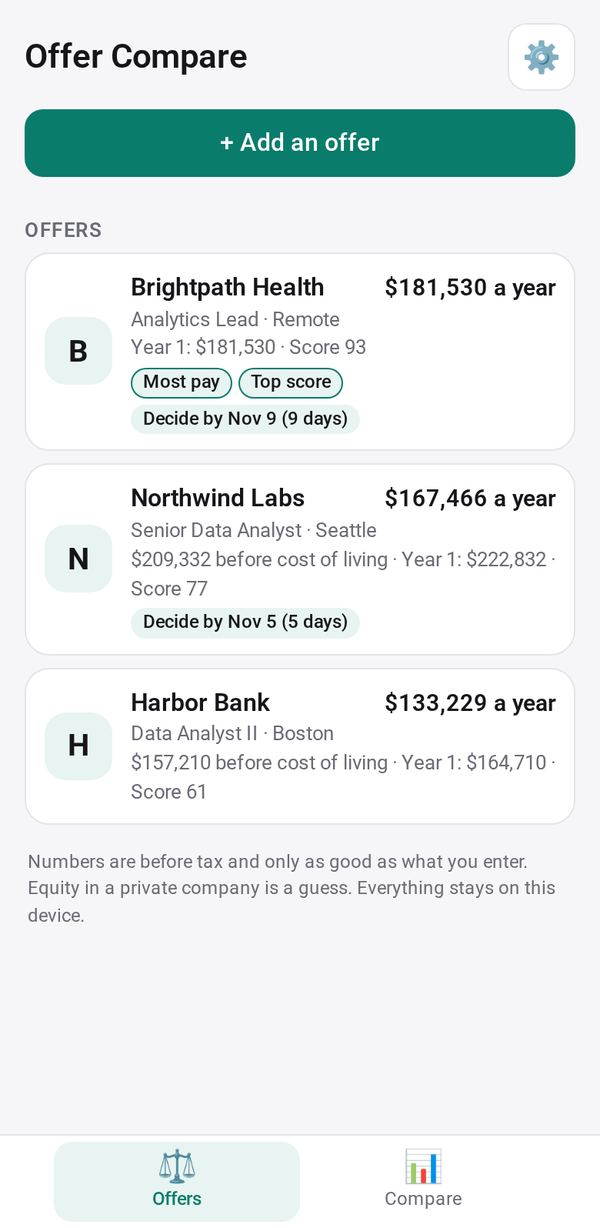
Compare job offers side by side: total pay year by year, equity vesting, benefits and commute, what matters to you, and what it would take to match
- 🛠️ Work
- Just for you
- Version 1
- Free · no account
What it does
- Base, bonus, sign-on, equity with vesting and cliff, retirement match and health cost, year by year
- Score what matters to you, and see what one offer would need to match another
- A reminder before each decision deadline
How to start
- Open Studio on your phone, on the web or on your computer, and tap Gallery (or the Find an App tile).
- Find Offer Compare under Work, and tap Add.
Try it with example data (in your browser, nothing is kept) · Open it in Studio on the web
Using it needs no AI. New to Studio? Get started.
Main tasks
Add each offer
Enter the company, role, base pay, bonus, sign-on, equity with its vesting and cliff, retirement match, health cost, time off, commute and the decision deadline. Or bring offers from Job Tracker.
Rate what matters to you
Open an offer and rate it from 1 to 5 on growth, team, balance, mission, stability, remote work or your own factors. The score mixes pay with your ratings.
Compare side by side
On the Compare tab, pick two or more offers: see the leader and by how much, a table with the best cell marked, year by year, and a bar chart.
See what it would take
What it would take shows the extra base pay or sign-on one offer would need to match the leader, useful before you negotiate.
Try a counter-offer
Duplicate an offer and change its numbers to see how a counter-offer would compare.
Decide before the deadline
You get a reminder before each offer's deadline. Mark an offer Accepted or Declined, and print or share the comparison.
Make it yours
Ask Studio: “Add remote days per week to the score”
Hold the app and tap Edit with AI, then say what to change in plain words. Every version is kept in History. How to ask well.
In these ready-made spaces
- 🔎 Job search (Groups and work)